The Map shows you where your community lives. It's a powerful tool for thinking about care by area, organizing visits and locating your groups.
What it shows
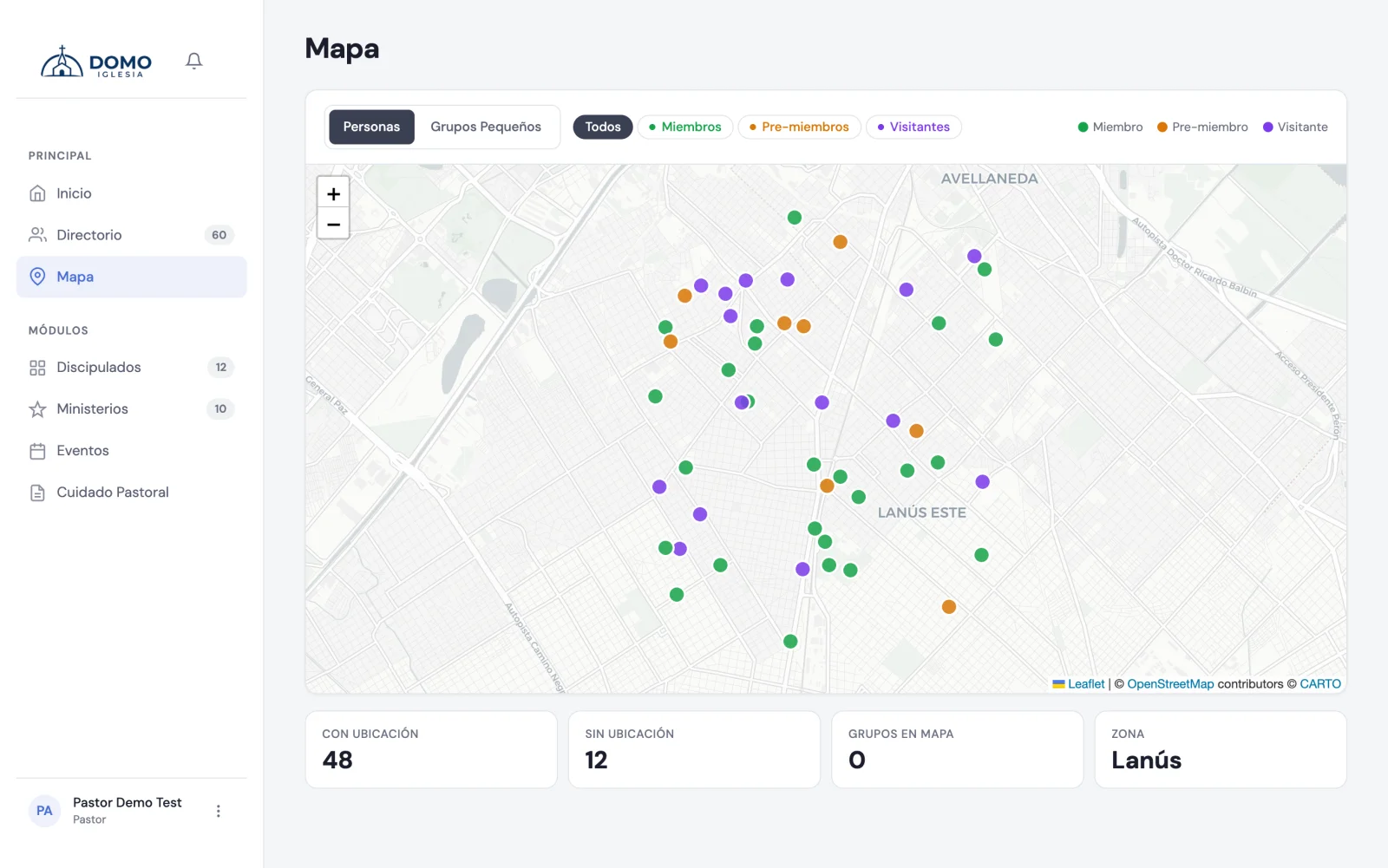
On the map you'll see the people in your directory (those with an address entered) and also your groups, each at its location.
The markers have colors based on the person's stage:
- 🟢 Green — members.
- 🟠 Amber — pre-members.
- 🟣 Purple — visitors.
You can filter to see one group at a time (for example, only visitors), and click any marker to see who it is.
How a person appears on the map
For someone to be located on the map, their record must have an address:
- Open the person in the Directory and edit them.
- Enter their address (and the city helps locate them better).
- Save.
Domo takes care of finding the coordinates from the address, so you don't have to enter latitude or longitude by hand.
If a person doesn't appear on the map, it's almost always because their address is missing or incomplete. Check it on their record.
If you don't use the map
The Map is an optional module. An administrator can hide it from Settings if your church doesn't need it.