The Discipleships screen adapts to how you need to look at your groups. And if you lead one, there's a panel made for you.
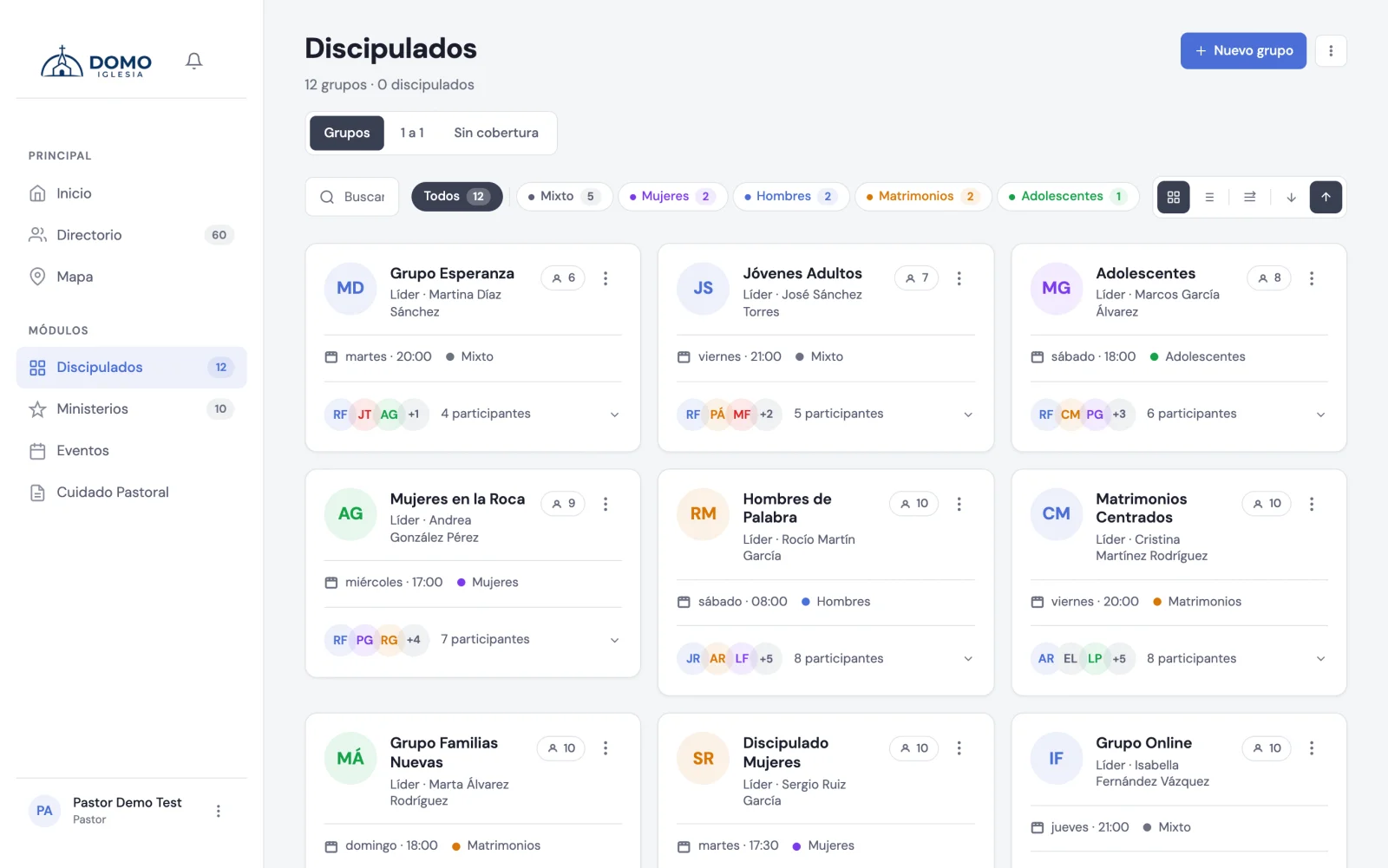
The available views
At the top you can switch between:
- Groups — the grid with all the group cards.
- One-on-one — made for personal discipleships, grouped by discipler.
- Without coverage — (only for pastors and residents) shows you the people who aren't in any group, so no one is left out.
Within the Groups view you can toggle between Grid view and By-day view, expand or collapse the members, and sort from High to low or Low to high.
What each card shows
Each group appears with its leader (and co-leader if it has one), the day and time, the type with its color, and the number of members.
In the card's menu you have:
- Edit group
- Take attendance
- + New meeting
The leader's panel
If you lead a group, Domo shows you a leader's work panel at the top with your group highlighted and its members in view. From there you act directly:
- Take attendance
- New meeting
- Edit group
If you lead more than one group, you can switch between them from the same panel.