Caring well means doing things: calling, visiting, praying, reaching out again. Follow-ups are the pastoral tasks that help you keep nothing stuck at good intentions.
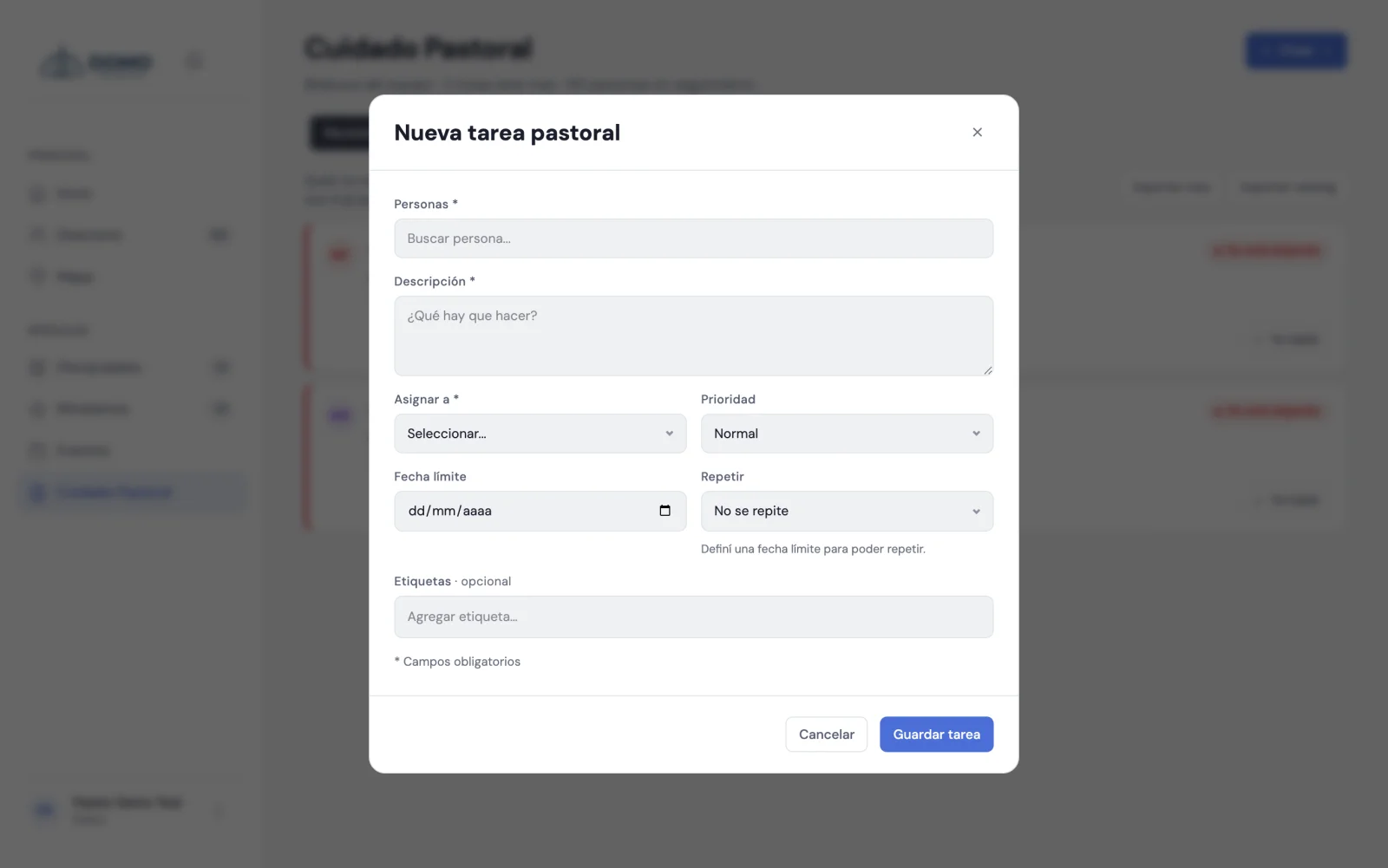
Create a follow-up
- In Pastoral Care, go to Follow-ups and click New task.
- Choose the person (or people) it refers to.
- Write the description of what needs doing.
- Assign it to a team member (pastor, resident or leader).
- Set the priority (normal or urgent).
- If you want, add a due date and make it repeat (daily, weekly, biweekly or monthly).
- Click Save.
Each task records who created it and who it's assigned to, so it's always clear whose responsibility it is.
Bring the task to life
Each follow-up has quick actions:
- Mark complete when you've done it.
- Postpone to tomorrow, next week or a date you choose.
- Comment within the task, to leave updates or coordinate with whoever shares it.
They're born from real care
The most natural way to create a follow-up is from a note: when you record a conversation, you check "create follow-up task" and it stays linked. That way the action always has context.