Every church is different, and Domo adapts to yours. From Settings you can give it your identity and show only what you use.
How to get there
Click your name (bottom left) and choose Settings.
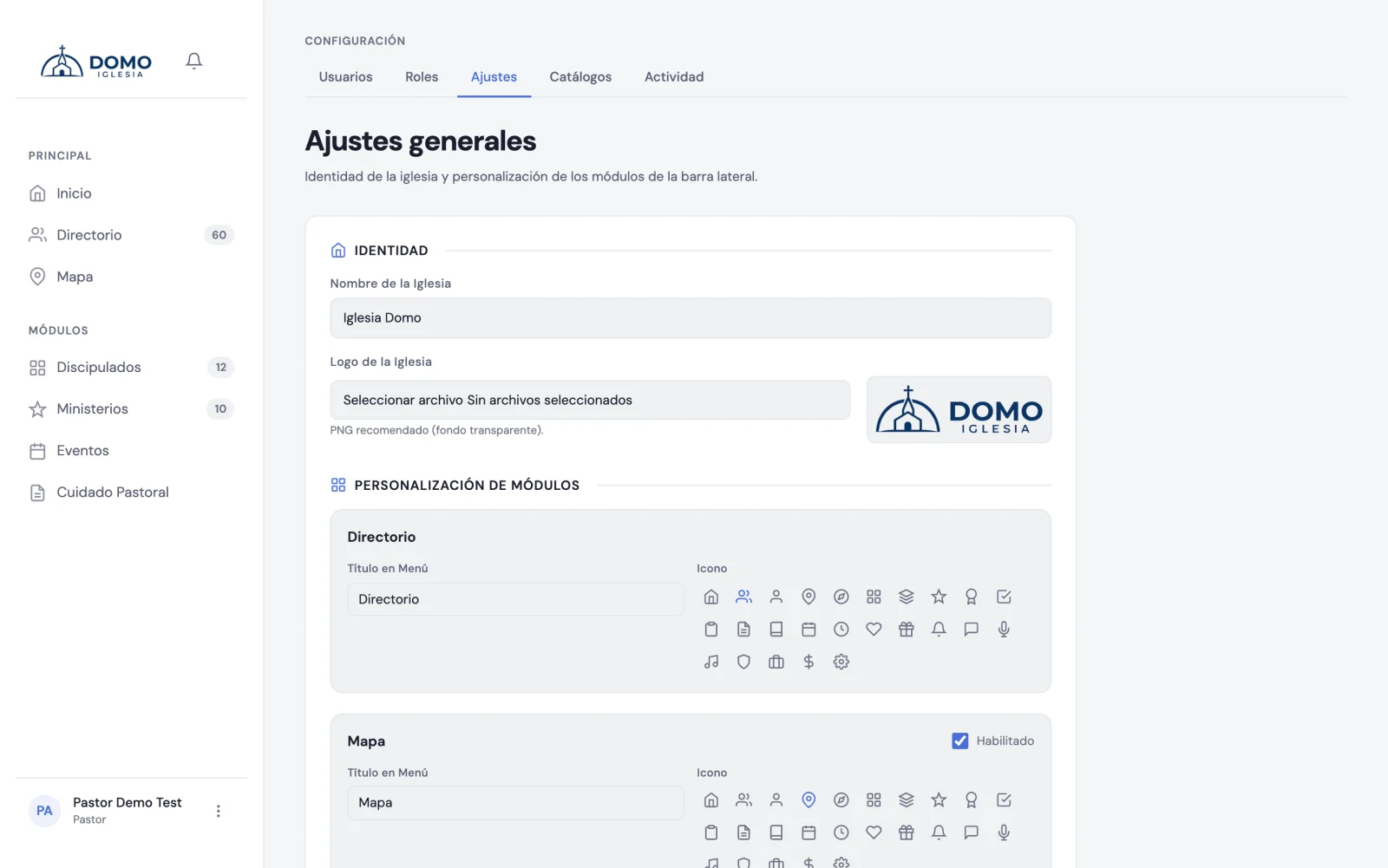
Your church's identity
- Church name — appears in your space.
- Logo — upload your church's (a PNG image is recommended).
Adapt the menu modules
You can adjust each module in the side menu:
- Rename it — if your church calls something differently (for example, "Cell groups" instead of "Discipleships", or "Life groups" instead of "Ministries").
- Change its icon — choosing among the available options.
- Turn it on or off — to hide from the menu the modules you don't use (like the Map or Ministries).
The Directory can't be turned off: it's the foundation everything else rests on.
A tip
Less is more: if your church doesn't use a module, hide it. A shorter menu is easier to use for your whole team, especially for those just starting out.