When you open a person in the Directory, their record opens up: the place where all their information lives, organized into tabs.
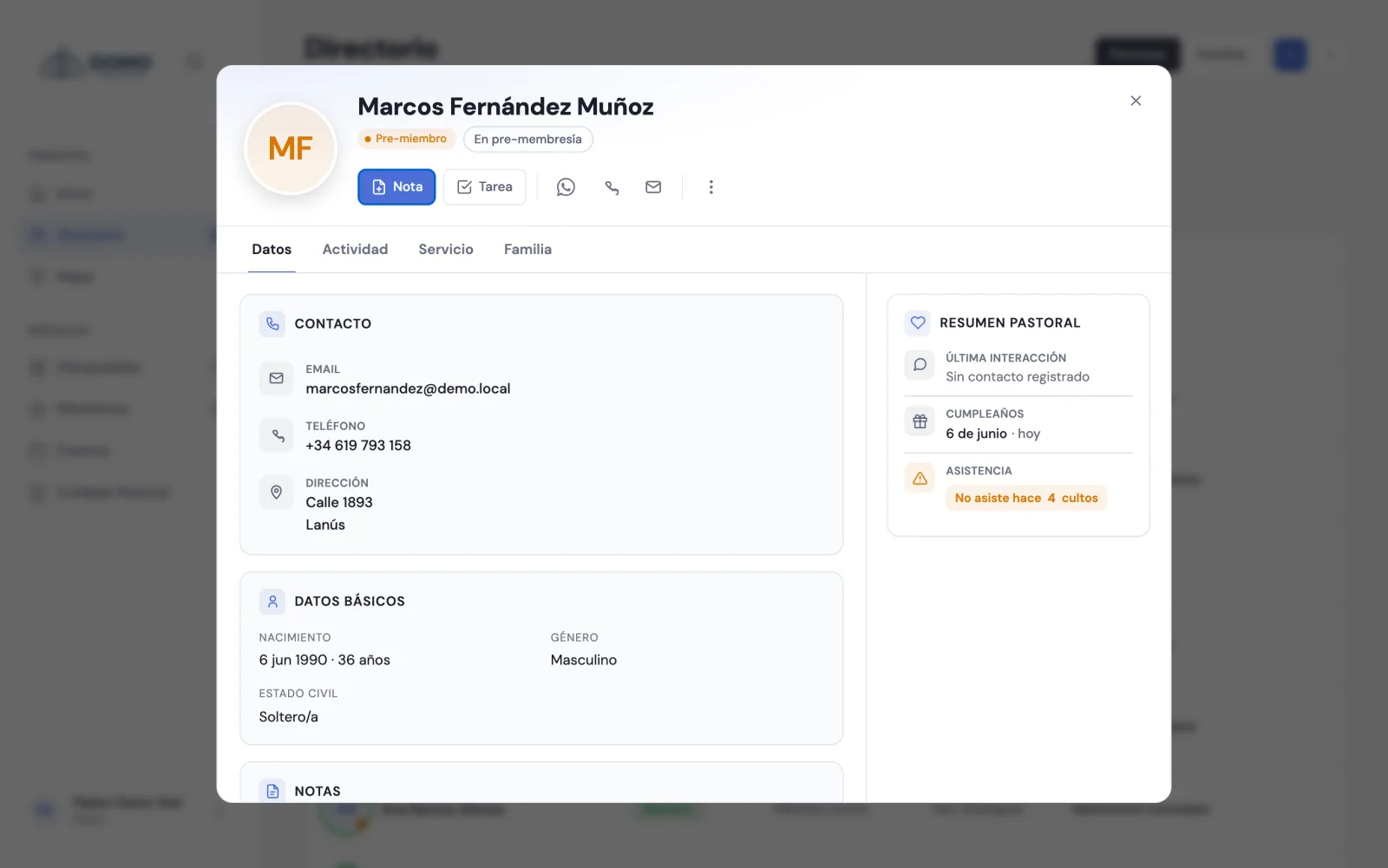
The record's tabs
- Details — their contact, basic info, key dates and general notes.
- Activity — a timeline of everything that happened with the person. You can filter by All, Notes, Tasks or Attendance.
- Service — the Ministries and Groups / Discipleship they take part in.
- Family — their household and the household members.
If you have pastoral access, on the side you'll also see a Pastoral summary (last interaction, next action, birthday) and the Journey (the person's stage history).
Edit and complete the details
When you edit a person you start with Basic details (the minimum to add them). To fill in the rest, open More details (contact, family, dates) and you'll complete it by sections:
- Contact and photo
- Family
- Dates and journey
- Profile and service
- Emergency contact
Upload a photo
In the Contact and photo section you'll find Profile photo. Choose an image (JPG or PNG, up to 2 MB) and it'll show on the record and in the lists.
You don't have to fill everything in at once. The record grows over time: every conversation, every new detail, makes it more useful for caring for the person.