Notes are the memory of pastoral care. Recording what you experience with a person helps give it continuity, especially when several people are walking alongside them.
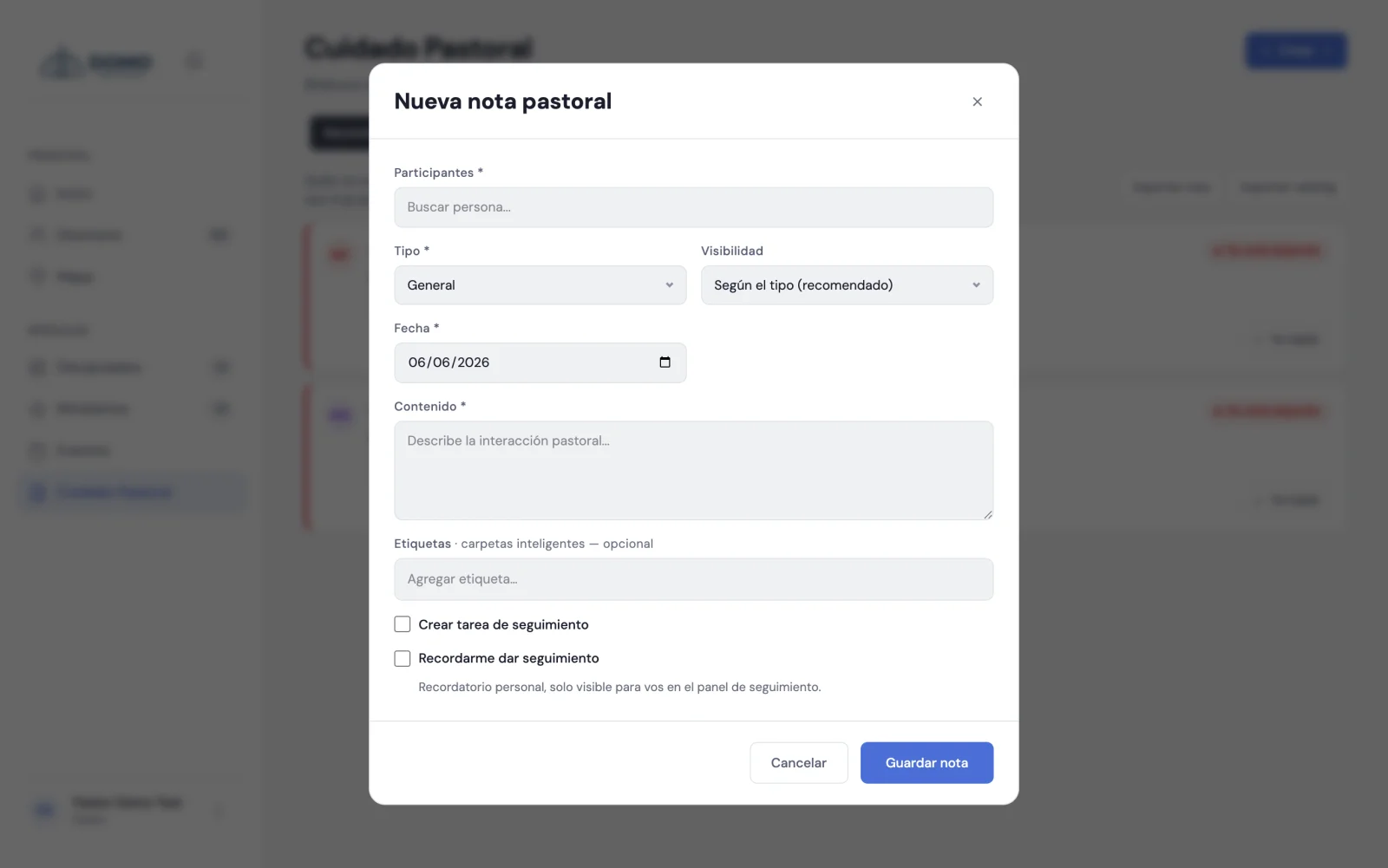
Create a note
- In Pastoral Care, click New note.
- Choose the person (or people) it refers to.
- Choose the type: general, visit, counseling, prayer or discipline.
- Set the date and write the content.
- Click Save.
You can link the note to several people when the conversation involves, for example, a married couple or a family.
Tags to find them later
You can add tags to a note (for example, "grief" or "finances"). They're useful for recognizing themes and filtering later. If the tag doesn't exist, you create it on the spot.
Turn the note into action
When you save a note you can, in the same step:
- Create a follow-up task — assign someone something concrete to do, with priority and date.
- Remind yourself to follow up — have Domo nudge you on a date to come back to the topic.
That way a conversation doesn't just stay on paper: it turns into real care.
Who will see this note?
Notes have confidentiality levels. Some types, like counseling and discipline, start as restricted because of their delicate nature. This is important and we explain it in detail in Confidentiality of notes.