It's easy to care for those who are near and forget those who don't show up. The care inbox exists to prevent exactly that: it shows you everyone, sorted by how long since they had contact.
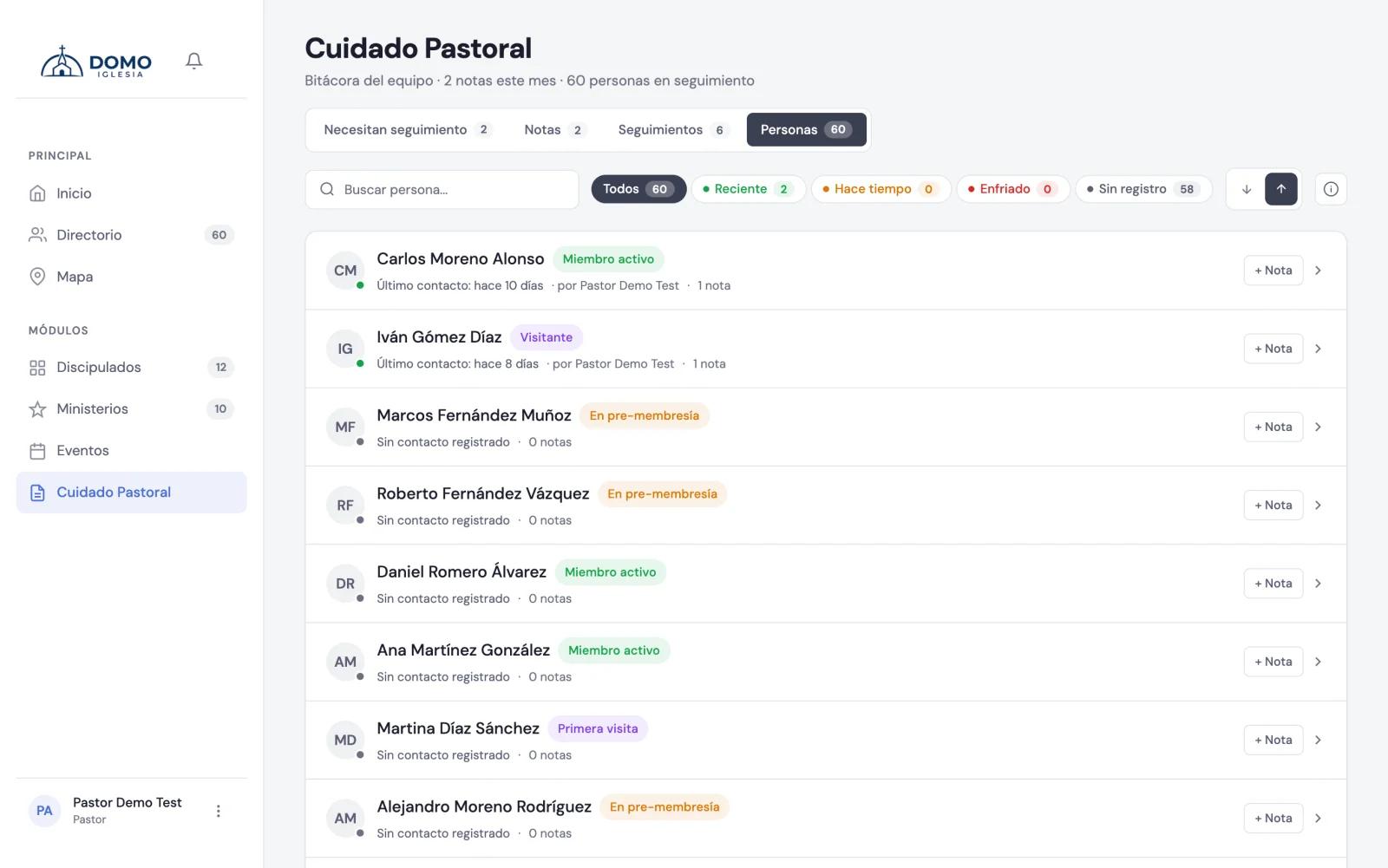
Where it is
In Pastoral Care, open the People tab.
The traffic light
Each person has a color based on when their last recorded contact (a note) was:
- 🟢 Green — recent contact (last 30 days).
- 🟡 Amber — a while ago (between 30 and 60 days).
- 🔴 Red — a long time ago (more than 60 days): worth reconnecting.
- ⚪ Gray — no contact record yet.
That way, at a glance, you know whose care is "cooling off".
Find who to attend to
You can filter by color (for example, see only the reds), search by name and sort by most recent or oldest contact.
Each row shows the person's stage, how many days without contact, how many notes they have and who last walked with them.
Act without leaving the list
From the same row you can add a note with one click, or open the person's record to see their full history. As soon as you record a contact, their traffic light goes back to green.
Use it as your weekly "rounds": start with the reds and grays, and bring color back to your community.