The directory is the heart of Domo. Almost everything —groups, events, pastoral care— starts from the people you add here. The good news: adding someone takes under a minute.
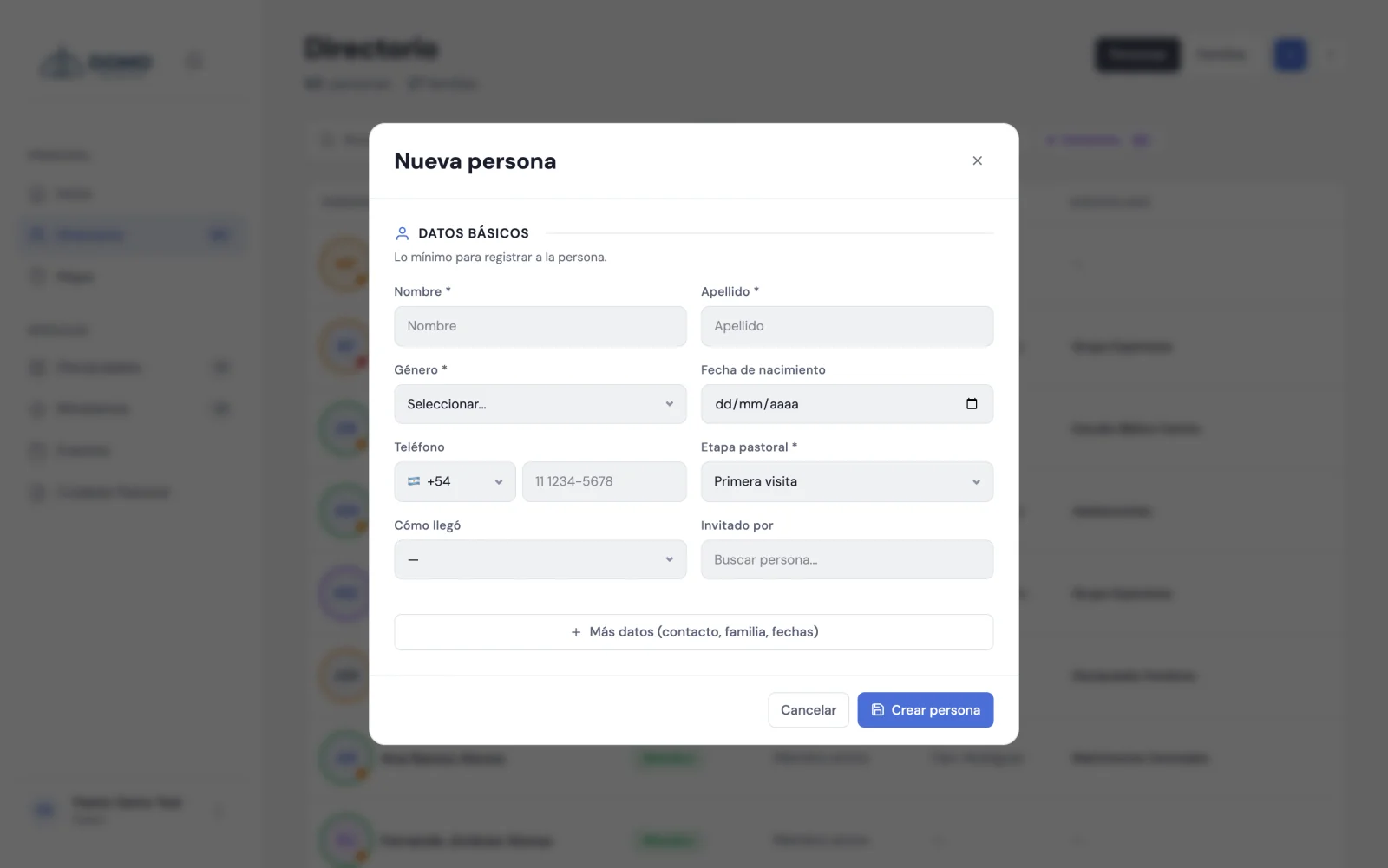
Add a person
- Go to Directory in the side menu.
- Click the + button (top right).
- Fill in the basic details. Required: first name, last name, gender and pastoral stage (it starts as "First visit", you can change it).
- If you have them handy, add their date of birth, phone (you can mark whether they have WhatsApp), email and address.
- Click Save.
Done! The person now appears in your directory. You can fill in the rest of their details whenever you want.
Don't wait until you have all the information. It's better to add the person with the basics today and complete the details later.
Find someone quickly
Use the search box at the top of the directory ("Search by name, email…"). Start typing and the list filters instantly.
You can also filter with the status buttons: Members, Pre-members, Visitors, Minors, Inactive and Archived. Each button shows how many people are in that group.
Keep an orderly record
When you edit a person, you'll see you can save much more than their contact details: how they came to the church, who invited them, their family and more. It's not required, but the more complete it is, the more Domo helps you care for your people.
Save a copy
Need a printed list? From the directory menu you can use Export PDF to download the list (respecting the search and filters you have active).
Next step
You now have your team and your first people. Now it's worth understanding the pastoral stages to know where each person is in their journey.